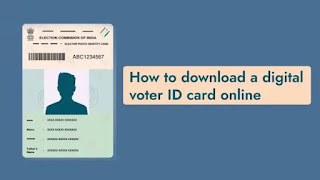
How to Download Digital Voter I'd Card online

Today, if you have a mobile phone in your hand, everything is there. If you download an app like DigiLocker on your mobile, you can store all important documents like Aadhaar Card, PAN Card, Study Certificates, Insurance Policies, Vehicle related documents etc.
As it is now election time, it is very important to keep the correct official voter ID with us. Now you can get digital voter ID on mobile in just 5 minutes. That's all you have to do for that. First visit the official website of Election Commission of India https://eci.gov.in/e-epic/.
This portal can be used to register the names of new voters. This portal can be accessed to update/change address in Election ID and download Digital Voter ID. It is also known as e-EPIC. It is in PDF format and can be stored on DigiLocker.
If you are using this portal for the first time, register by phone number. Once you have entered the portal, click on Download e-EPIC and enter your EPIC number there, which is a 10-digit unique ID printed on your voter ID card.
To download e-Epic or Digital Voter ID Card, your mobile number must be linked to your Voter ID. If not, mobile number link can also be done on the same website.
To link your mobile number to Voter ID, go to Election Commission of India portal homepage (https://www.nvsp.in/). Click on the forms found on the home page. Next, click on Form 8 and select Selp / Family option if you want to download Voter ID of family members.
Later there is an option to amend. Click on 'The Correction of Entries' in the existing voter list. Enter the mobile number you want to link to your voter ID there. The portal will take a few days to verify your details and link the phone number with your Voter ID.
After linking mobile number to Voter ID, go to website https://eci.gov.in/e-epic/ and enter & verify EPIC number details. Then check your mobile number once using OTP. Click Download e-EPIC to download Digital Voter ID on your smartphone, tablet or laptop. You can get a duplicate Voter ID from the same website by filling Form 8, which will be delivered to the address on your Voter ID.
Our blog home page- educare.host
Our WhatsApp group - Join Group
Our telegram Group - Join Group
Our